Management system for cleaning companies

Run your cleaning company from one place

Clenvix Manager brings together scheduling, teams, customers, estimates and finances. Your cleaners use the mobile app and you follow everything from your computer.

Access is by invitation.
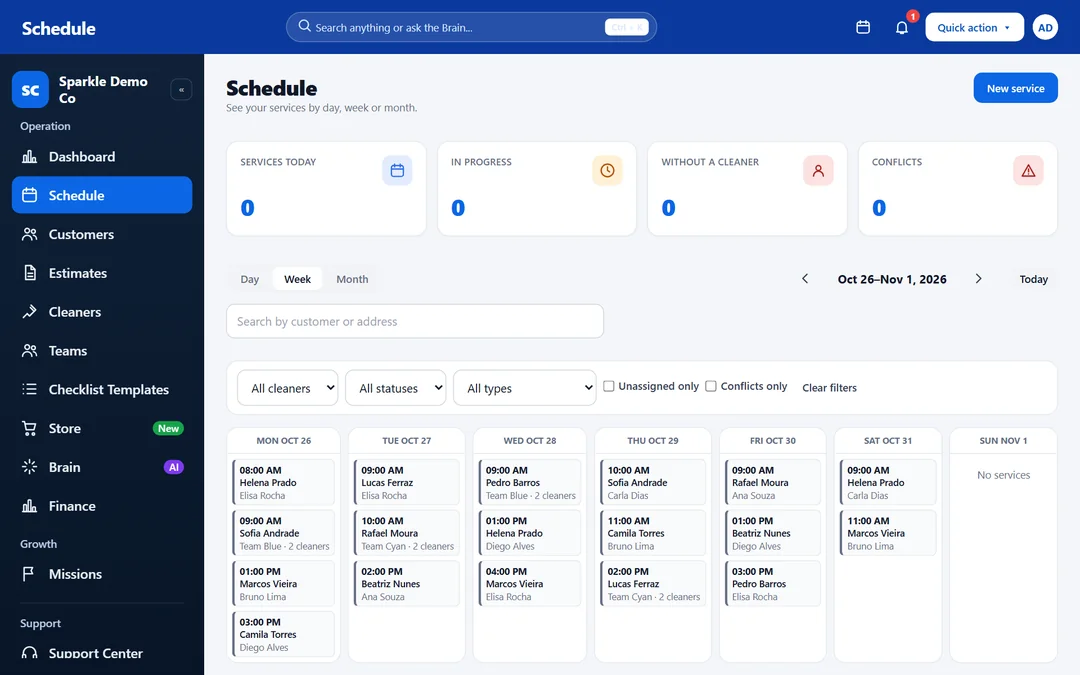
Clenvix Schedule screen in week view, with services spread across cleaners and teams. Fictional data.
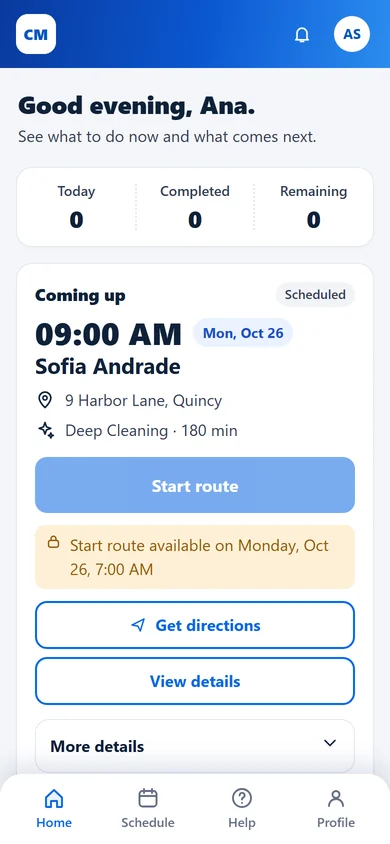
Home of the cleaner app on a phone, with the next service, the address and the Start trip and See route buttons. Fictional data.
  • Built for cleaning companies
  • In English, Portuguese and Spanish
  • An app for your cleaners
  • Data kept separate per company

Benefits

Everything your daily routine asks for

Fewer spreadsheets and scattered messages: each piece of information sits in the right place, within reach of whoever needs it.

  • Scheduling without the mess

    See services by day, week or month, with recurrence and a warning when two appointments overlap.

  • Organized teams

    Build teams with a leader and members, and assign a service to the whole team or to one cleaner.

  • Professional estimates

    Send your customer a link, get approval with an electronic signature, and turn the estimate into a customer and a service.

  • Finances at a glance

    Follow what was invoiced, what came in, what is still open and how much each cleaner is owed.

  • Cleaners on their phones

    Each cleaner sees their own schedule, the address and the next service right in the app.

  • Data kept separate per company

    Each company sees only its own customers, services and amounts.

Scheduling

Scheduling and teams

Plan the whole week and hand out the work without relying on spreadsheets.
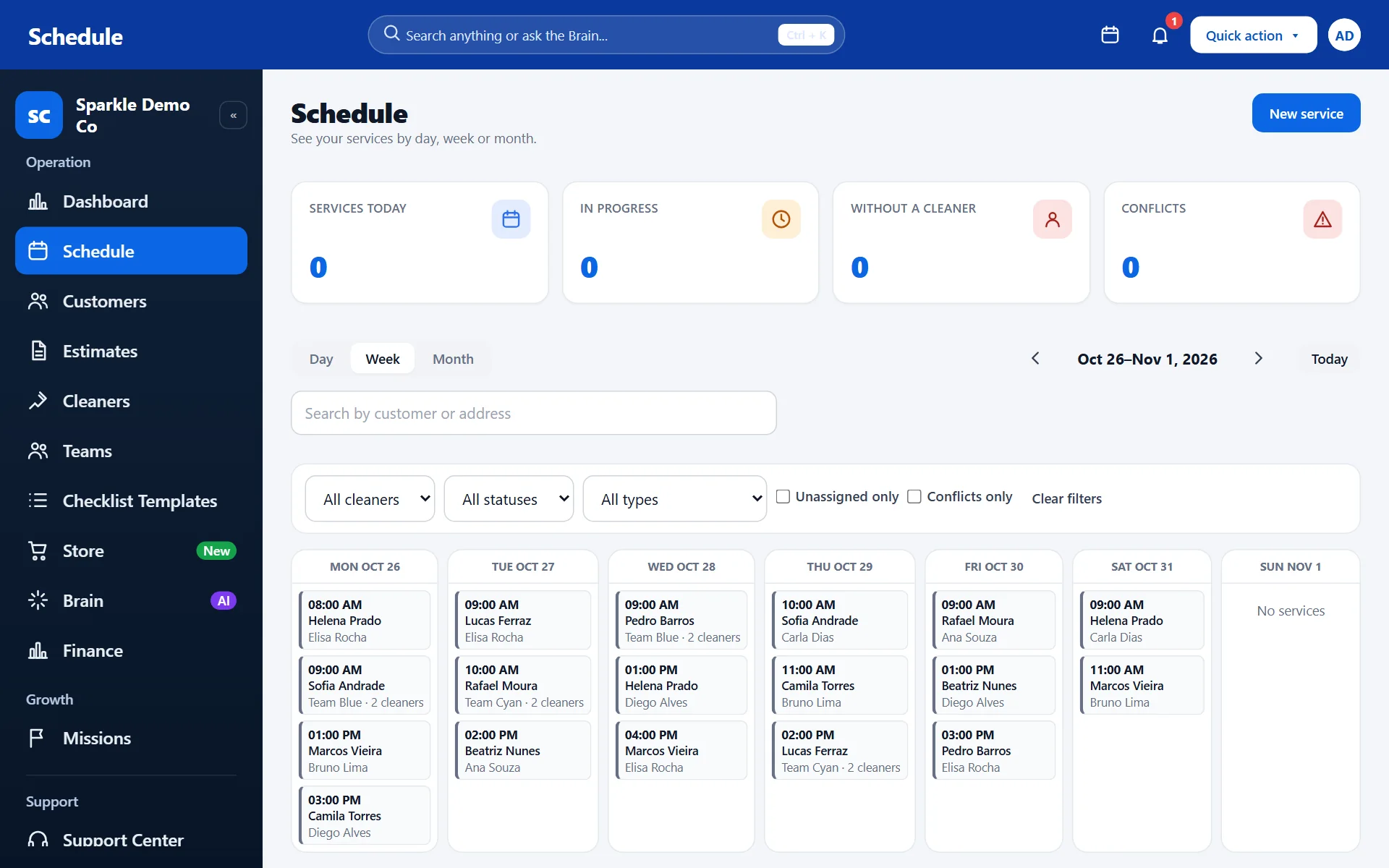
  • Day, week or month view, with filters by cleaner, status and type of service.
  • Recurring services weekly, every two weeks or on a custom cycle.
  • A warning when a cleaner or a team already has another service at the same time.
  • Teams with a leader and members: a service can go to the whole team.
  • Each cleaner gets their own schedule in the app.
Clenvix Schedule screen in week view, with services spread across cleaners and teams. Fictional data.
Real Clenvix screen with fictional data. Tap the image to see the full screen.
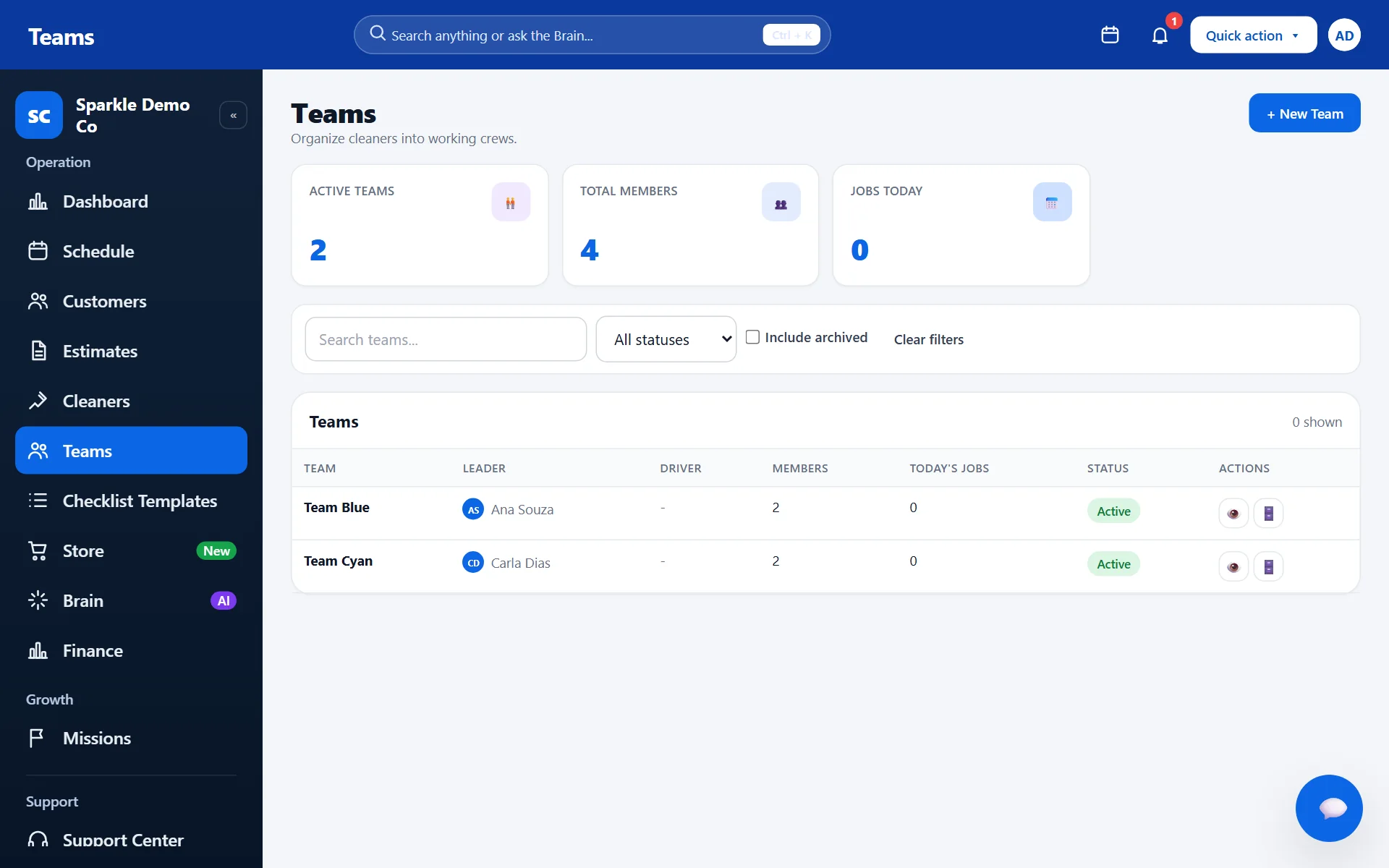
Clenvix Teams screen with two teams, their leaders and the number of members. Fictional data.
Real Clenvix screen with fictional data. Tap the image to see the full screen.

Customers

Customers and estimates

From the first contact to the booked service, with each customer's history kept in one place.
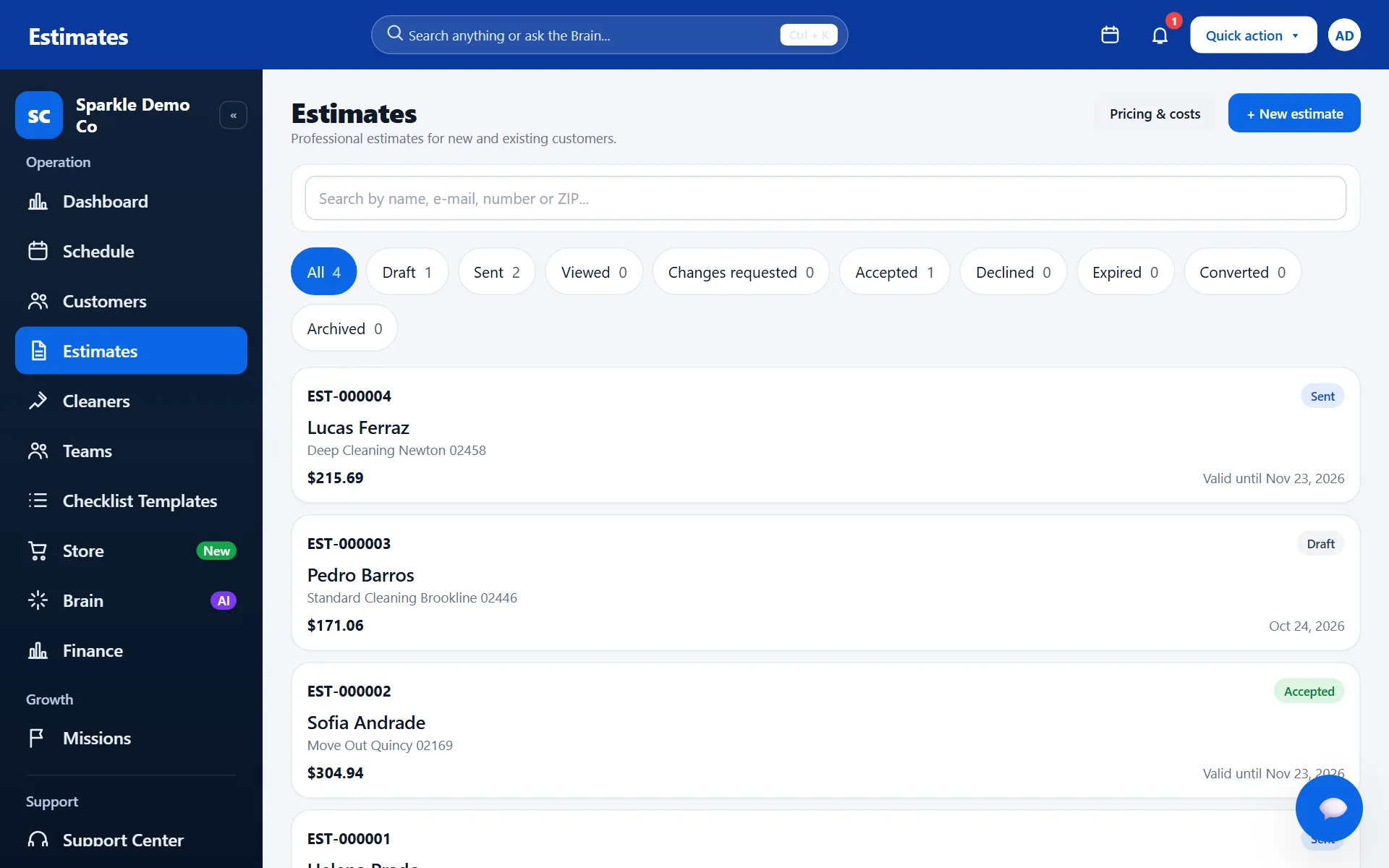
  • Customer records with properties, contacts and service history.
  • Quick estimate: build the price and email it, or copy the link for your customer.
  • The customer approves from the link and signs electronically; the acceptance is recorded.
  • From an accepted estimate, create the customer and the service on the schedule.
  • A customer portal to follow the cleanings.
Clenvix Estimates screen with draft, sent and accepted estimates. Fictional data.
Real Clenvix screen with fictional data. Tap the image to see the full screen.
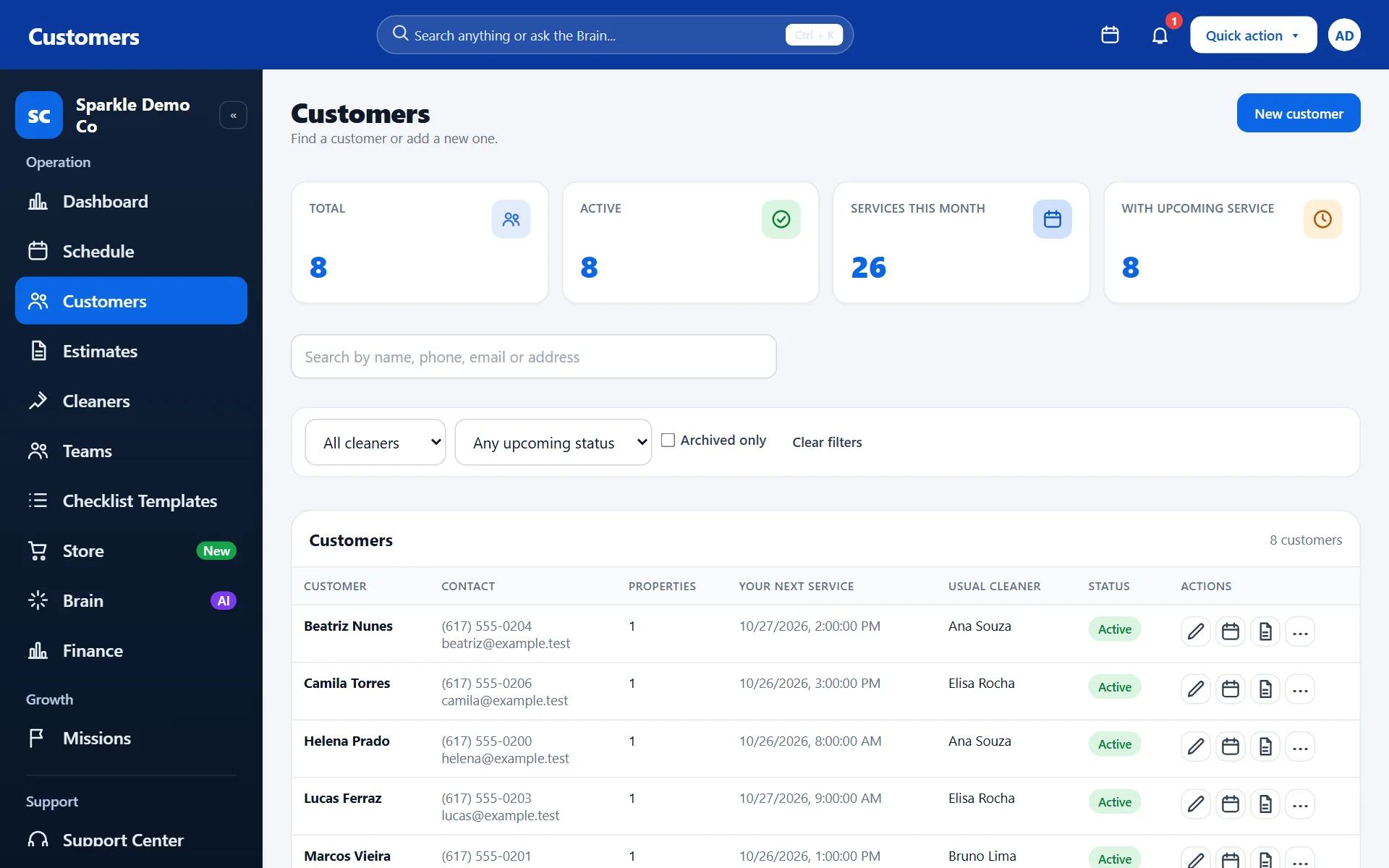
Clenvix Customers screen with the customer list, contacts and next service. Fictional data.
Real Clenvix screen with fictional data. Tap the image to see the full screen.

Finances

Finances

Know what came in, what is still to be received and how much each cleaner is owed.
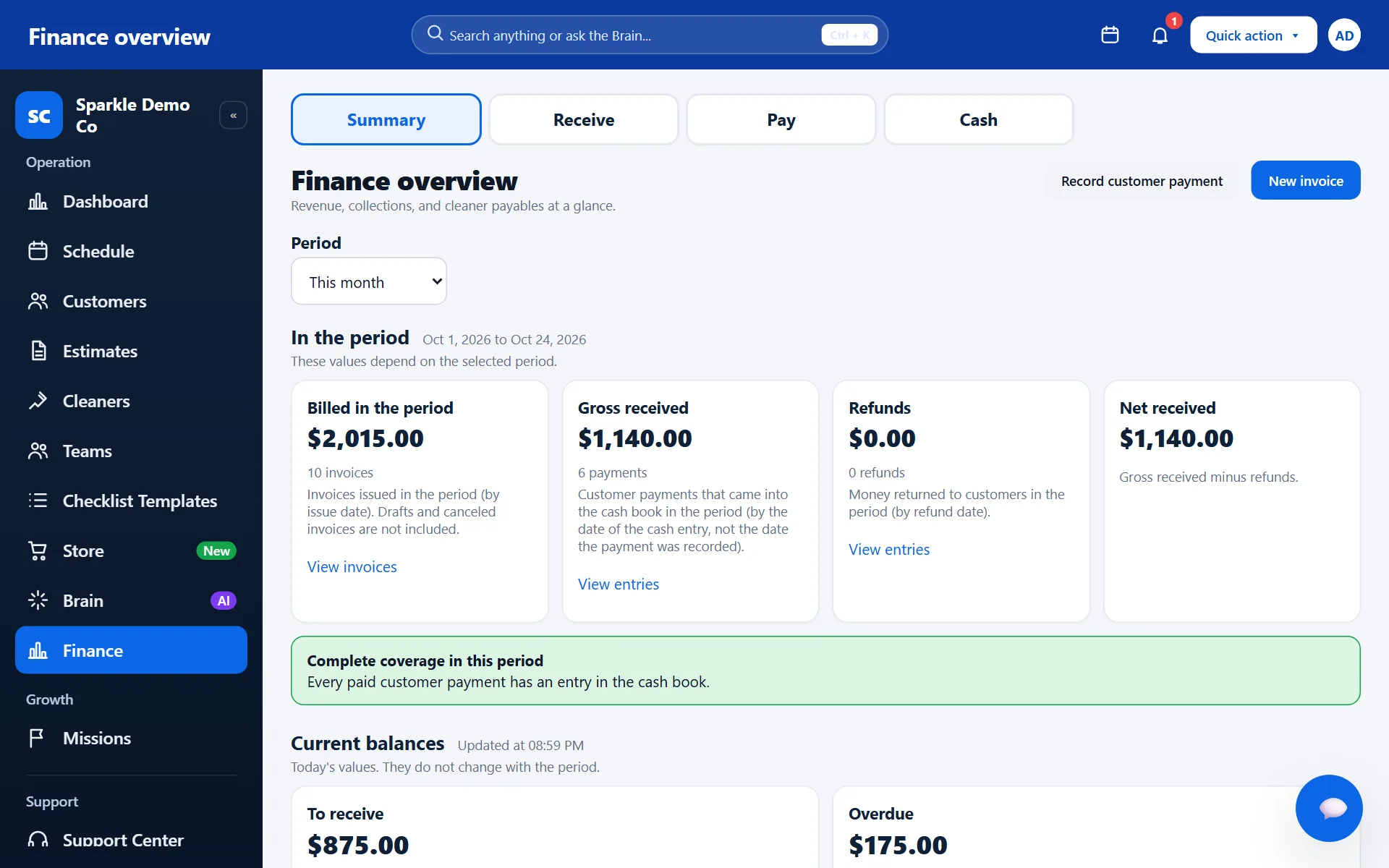
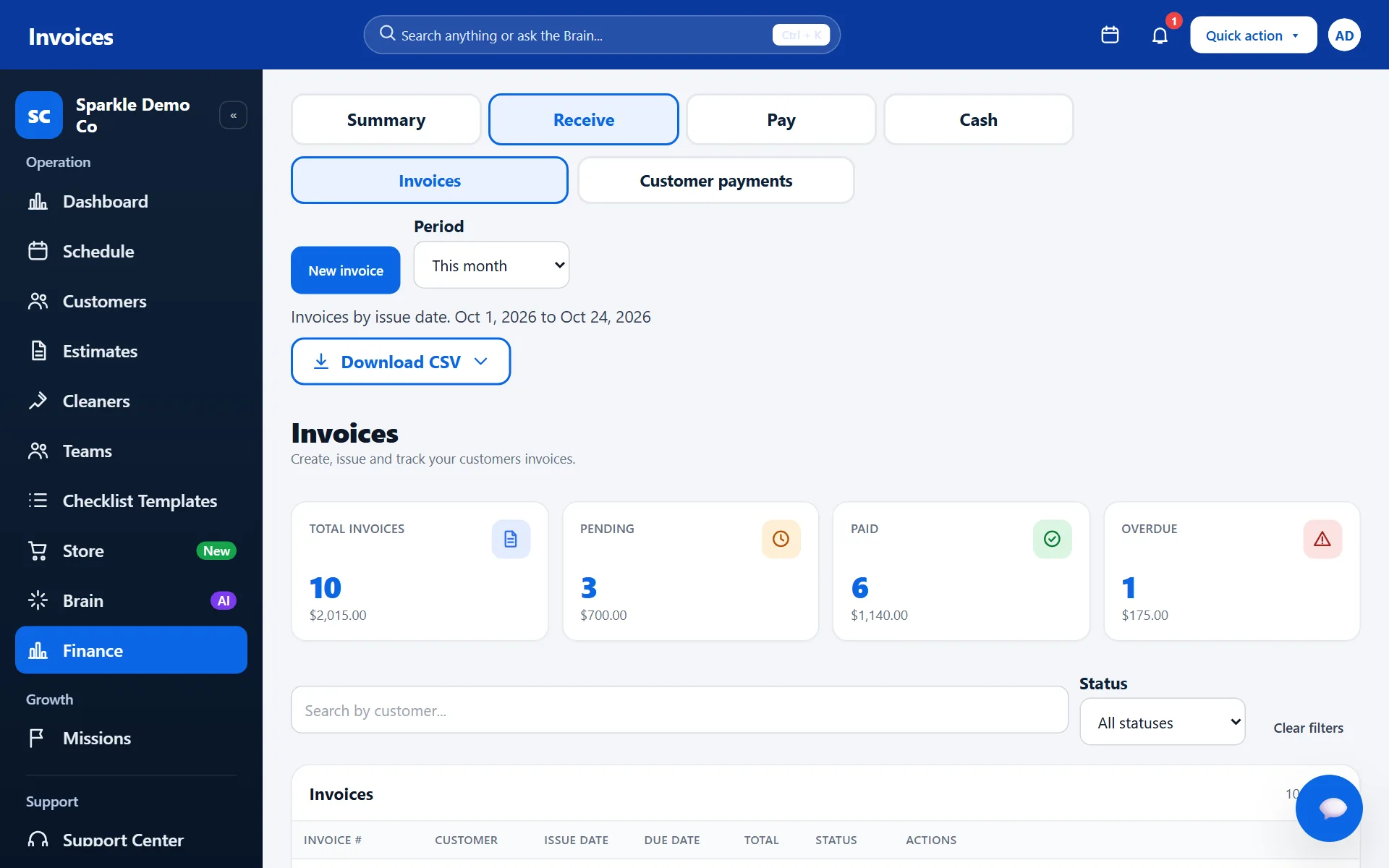
  • Period summary: invoiced, received, refunds, and balances to receive and overdue.
  • Customer invoices and payments, with overdue ones highlighted.
  • How much each cleaner is owed, based on days worked and payments made.
  • Cash with movements, reconciliation and CSV reports.
  • You record the payments you received, however they were paid.
Clenvix financial overview screen with invoiced, received, refunds and balances. Fictional data.
Real Clenvix screen with fictional data. Tap the image to see the full screen.
Clenvix Invoices screen with the list of invoices, amounts and status. Fictional data.
Real Clenvix screen with fictional data. Tap the image to see the full screen.

Mobile app

Mobile app

Your cleaners follow the day without paper and without spreadsheets.
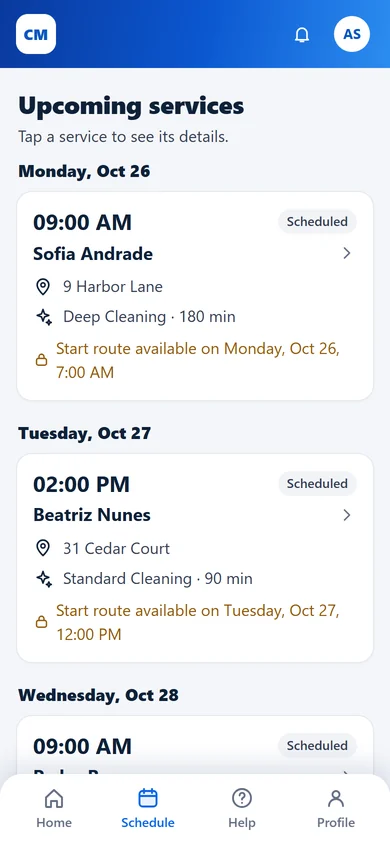
  • Today's schedule and upcoming services, with the address and a button to see the route.
  • Start the trip and follow the progress of each service.
  • The service checklist in the palm of the hand.
  • View their own schedule even without a connection, read-only.
  • Installed straight from the browser, no app store.
Home of the cleaner app on a phone, with the next service, the address and the Start trip and See route buttons. Fictional data.
List of upcoming services in the cleaner app, with date, customer and address. Fictional data.
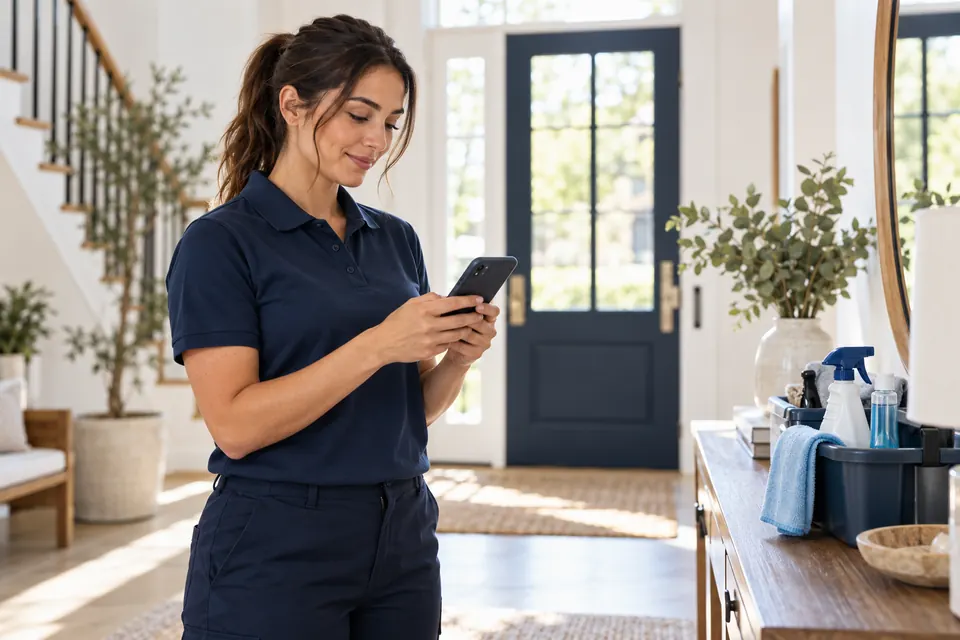
Cleaning professional checking the schedule on her phone in the entryway of a house

How to install on a phone

Android: in compatible browsers, an Install app button appears on the sign-in screen and in the account menu.

iPhone: open Clenvix in Safari, tap Share and choose Add to Home Screen.

Installing depends on the device's browser and is not automatic.

Get started in three steps

From requesting access to an organized operation.

  1. Request access

    Request access with the form or on WhatsApp and receive the invitation for your company.

  2. Set up your company

    Add your team, customers and services.

  3. Start getting organized

    Scheduling, estimates and finances end up in one place.

Plans

Plans

Pick the size of your operation. Prices in US dollars (USD), per month.

Individual

For those just getting started.

$19.99/month

Limits

  • Up to 2 users
  • Up to 2 cleaners
  • Up to 100 customers
  • Up to 100 services per month

Professional

For larger teams.

$99.99/month

Limits

  • Up to 10 users
  • Up to 25 cleaners
  • Up to 500 customers
  • Up to 1,000 services per month

In every plan

  • Scheduling and recurring services
  • Customers and estimates
  • Invoices and payments
  • Financial reports
  • App for your cleaners

Access is by invitation. Request yours to get to know Clenvix.

FAQ

Frequently asked questions

How do I start using Clenvix?

Access is by invitation. Use “Request access” to ask for yours. If you already have an account, use “Sign in”.

Do I need to install anything?

No. Clenvix works in the browser on your computer and your phone. It can also be installed as an app, depending on the device's browser.

Which languages does it support?

English, Portuguese and Spanish.

Is my data kept separate from other companies?

Yes. Each company accesses only its own customers, services and amounts.

Does Clenvix charge my customers by card?

No. You issue the invoices and record in the system the payments you received.

Do my cleaners need an account?

Each cleaner signs in with their own access to see their own schedule in the app.

Can I work with more than one team?

Yes. Create teams with a leader and members, within your plan's limits.

Can a cleaner see the schedule without internet?

They can view the schedule that was already loaded. To record changes, they need to be connected.

Cleaning company owner smiling at her laptop, with two uniformed team members working in the background

Contact

Access to Clenvix is by invitation. Tell us a little about your company and the Clenvix team will get in touch.

Request access

Fill in the details below. Sending this does not create an account, invitation or charge: the team reviews the request and gets in touch.

Fields marked * are required.

We use this information only to reply to this contact.

Turn on JavaScript to send the form, or talk to us on WhatsApp.

Talk to support

Have a question or need help? Send us a message.

Fields marked * are required.

We use this information only to reply to this contact.

Turn on JavaScript to send the form, or talk to us on WhatsApp.

Already have access? Sign in